
Sales Commissions
$79
Summary:
The Sales Commissions addon enhances FusionInvoice by enabling you to assign and automatically calculate commissions on a per-line-item basis. With customizable formulas for commission calculation, this addon simplifies tracking employee performance and earnings over time. It also includes robust reporting tools, providing clear and comprehensive insights into your team's commission data to streamline management and decision-making.
Setup
Step 1: Download the add-on package
Log into your account at FusionInvoice.com and download the add-on package to install. Save it locally to your computer.
Step 2: Unzip the add-on package
Step 3: Upload the add-on folder to your server
Upload the unzipped add-on folder from your computer to the custom/addons folder on your server. It is recommended that you use a standard FTP program such as FileZilla to upload the folder to your server.
Step 4: Enable the add-on
Log into your FusionInvoice install and go to System>Addons>Commissions and click the Install button for the add-on. Once the add-on is installed, the applicable menu items will appear and the add-on will be usable.
Commissions
The Commissions are found in the Navigation Menu on the left.
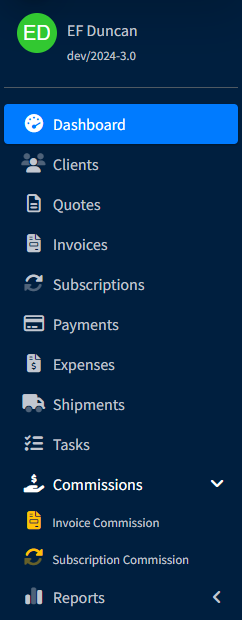
There are two options:
Invoice Commission: one time commission
Subscription Commission: recurring commissions
How to Create Commissions
Go to System Settings > Configuration > Commission Types

All the created commission types will be listed here. Under options you can edit or delete a type. To create a new one, hit Create.
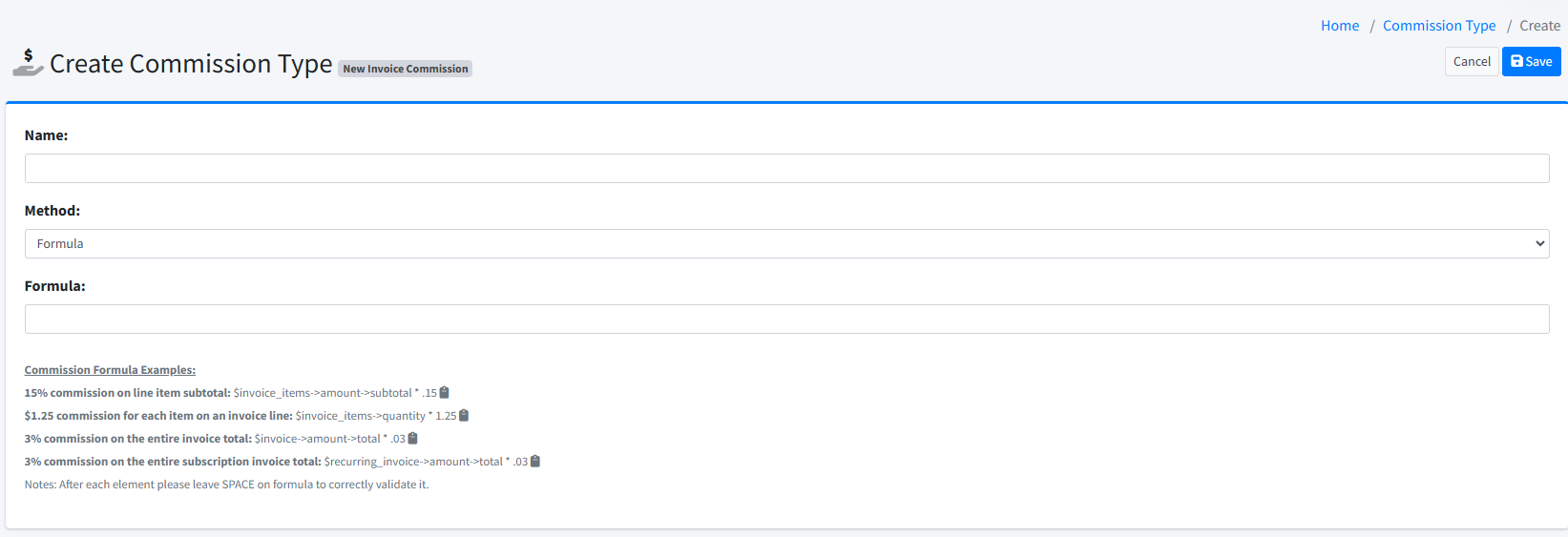
Name: Label the commission type.
Method: choose between a formula or manual entry.
Formula: enter the formula calculation for the commission amount to follow.
Examples can be followed for writing the formulas as well. Press the clipboard icon next to an example to copy the formula.
Adding Commissions to Line Items or Invoices
A Commissions tab is added onto an invoice when you enable Sales Commissions.
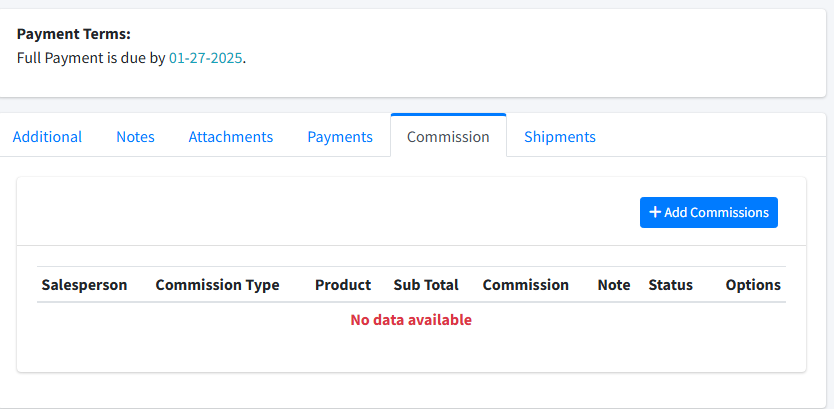
After the invoice has been filled out with the line item(s), click on the Commission tab, and Add Commissions.
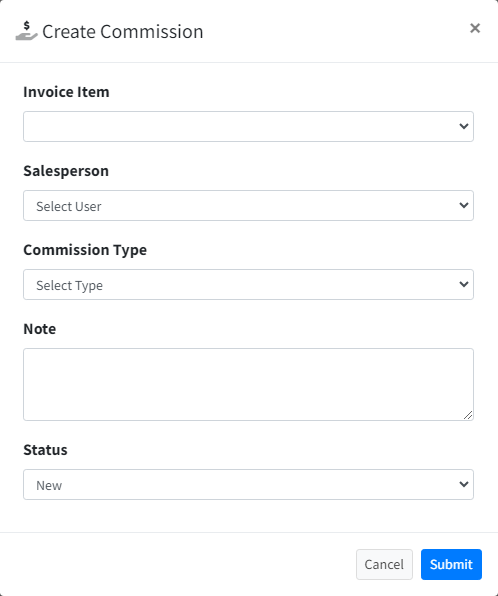
This brings up a modal window where you can select the invoice line item that commission will need to be calculated for.
COMM FORMULAS FOR TOTAL INVOICE DOESN'T WORK